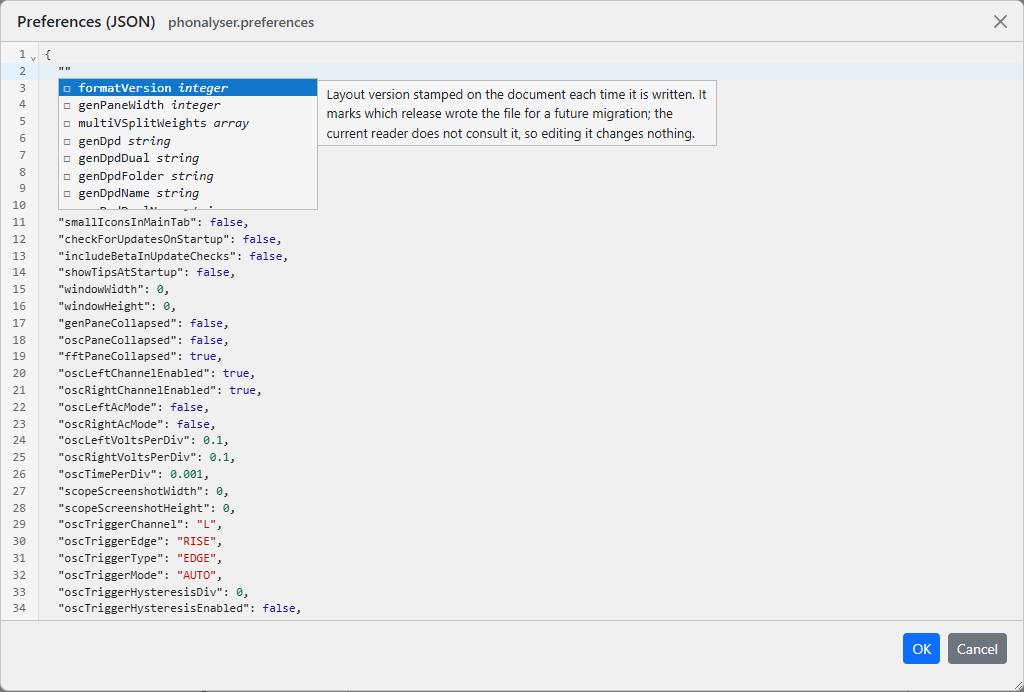
Everything the Preferences dialog writes ends up in one of two stored documents - the settings and the card profiles - and both can be opened directly, as text, from the Tools menu. It is the way to see the whole of your configuration at once, to copy a card between machines, or to change something the dialogs deliberately do not expose.
Tools carries two submenus:
| Menu item | What it opens |
|---|---|
| Preferences ▸ Current | The live settings document - everything on the five tabs of the Preferences dialog, plus the per-backend blocks and the remembered servers. |
| Devices ▸ Current | The live device store - your card profiles, their ranges and their measured full-scale values. |
| ... ▸ Corrupt | Present only when a store was kept aside because it could not be read. Opens that copy read-only. |
The document opens pretty-printed, and the editor knows its shape:
The window is movable by its title bar and resizable from its bottom-right corner, and it remembers where and how big you left it.
audioDevices list at all is
rejected rather than applied. It is easy to arrive at - deleting the block to
"start clean", a mistyped audiodevices, or pasting back only the
version header - and applying it would delete every card profile and every
calibration in it while looking like a success. To empty the store
deliberately, write an empty list: "audioDevices": [] is
accepted and really does clear it.